⚽ g0v summit 直播 (原音Live/口譯 interpretation 切換 switch)
左聲道為「現場原音」<-------> 右聲道為「口譯聲音」
Left is Live Audio ←→ Right is interpretation
Linux / GNOME
`pavucontrol` should do the trick, but there is no left right fader. Alternative approaches?
MAC OS
- 開啟 「系統偏好設定」 ----> 點擊「聲音」
Open "System Preferences" -> Click "Sound"
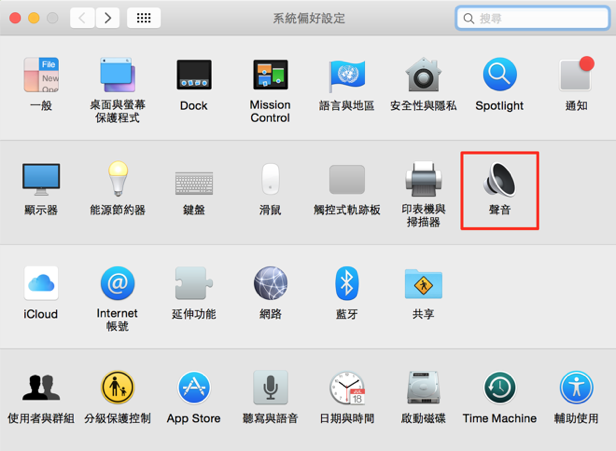
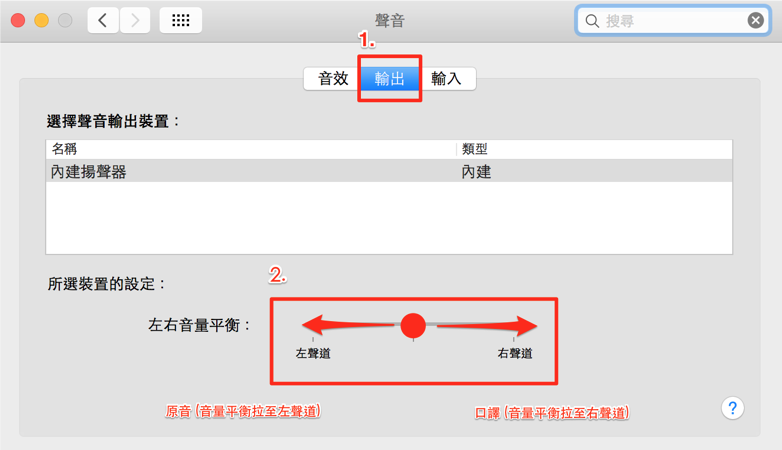
2. 「聲音」 ----> 點擊「輸出」
a. 現場原音 : 將「左右音量平衡」 拉至左聲道最左
b. 口譯聲音 : 將「左右音量平衡」 拉至右聲道最右
補充說明 :「左右音量平衡」拉至中間,「現場原音」跟「口譯聲音」聲音會同時出現
In the "Output" tab:
a. Live sound: dial the "Balance" all the way to the left
b. Interpretation: dial the "Balance" all the way to the right
Note: In the middle position, Live and Interpretation sounds will co-exist
WINDOWS OS
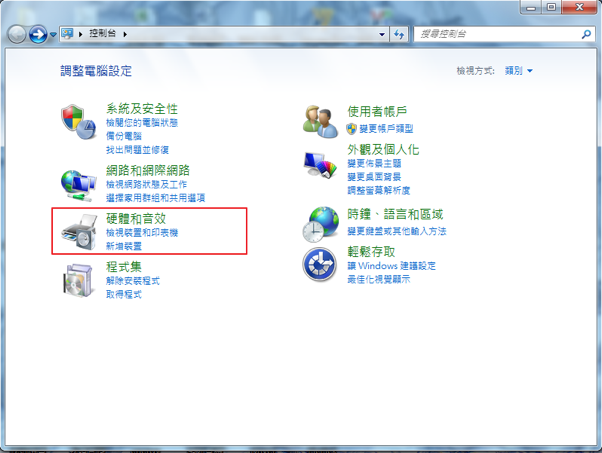
- 開啟「控制台」 ---> 點選「硬體和音效」
Open "Control Panel" -> Click "Hardware and sound"
2.點選「聲音」
Click "Sound"
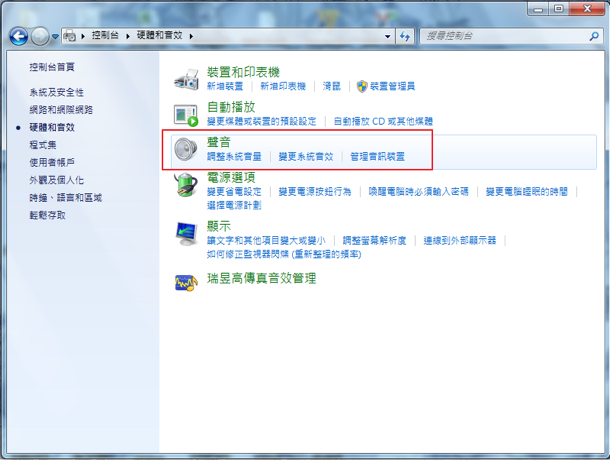
3.點選「聲音」---> 「播放」頁面右下角的「內容」
Click "Playback" tab -> click the "Properties" button on the bottom right
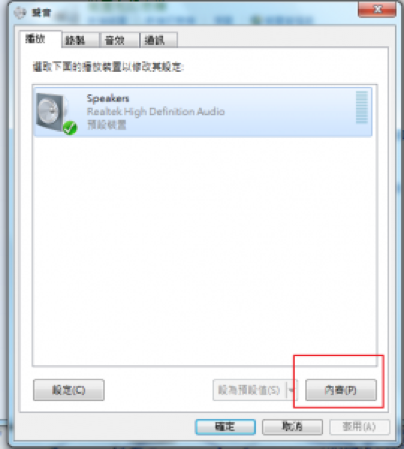
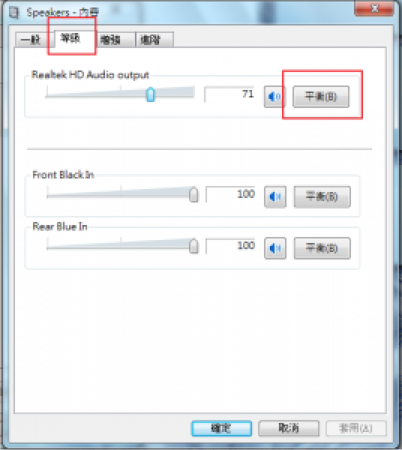
4.在 「內容」點選 「等級」頁面,即可看到音效輸出的設定
Click "Sound Level" tab to find the output setting
5.點選右方的 「平衡」按鈕
Click the "Balance" button on the right
6.現場原音 : 左前設 "100", 右前設 "0"
Live audio: Set "100" to the front-left field and "0" to the front-right field
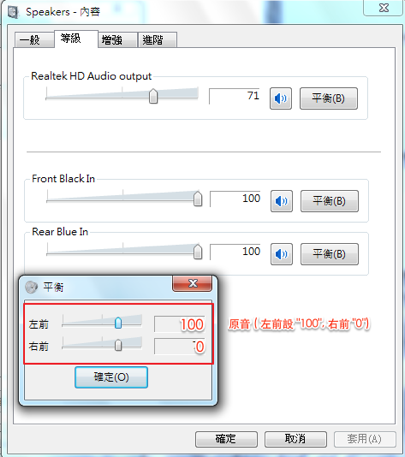
7.口譯聲音 : 右前設 "100", 左前設 "0"
Interpretation: Set "100" to the front-right field and "0" to the front-left field
iOS
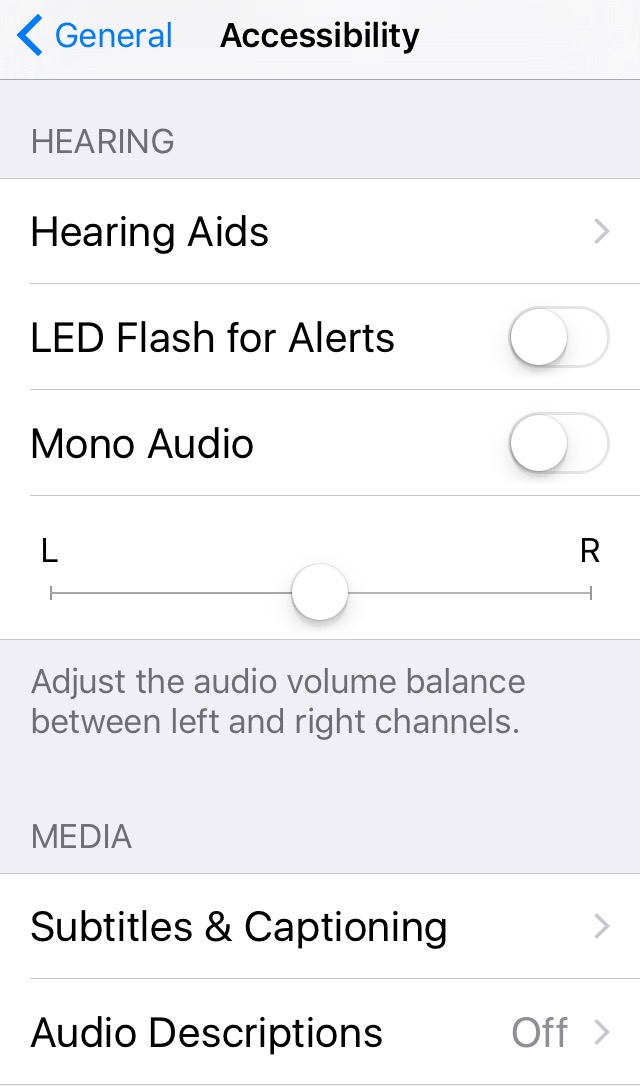
在「輔助使用」裡面的「聽力」部分調整左右聲道的音量平衡。(設定 > 一般 > 輔助使用)
Adjust the audio volume balance between left and right channels in Hearing section of Accessibility. (Settings > General > Accessibility)